Putting it together
Two full-screen custom passes and several shader materials working as a real overlay stack in an isometric-tactics game.
1. Overview
This article ties the three mechanisms together with concrete cases from an imaginary isometric-tactics game. It features two full-screen custom render passes — ZoneOutlineRenderPass and FogOfWarRenderPass — and several shader materials driven from Lua: a selection ring, a transparency veil, and overlay quads (health bars, action-point chevrons).
2. Full-screen graphics pass: zone outline
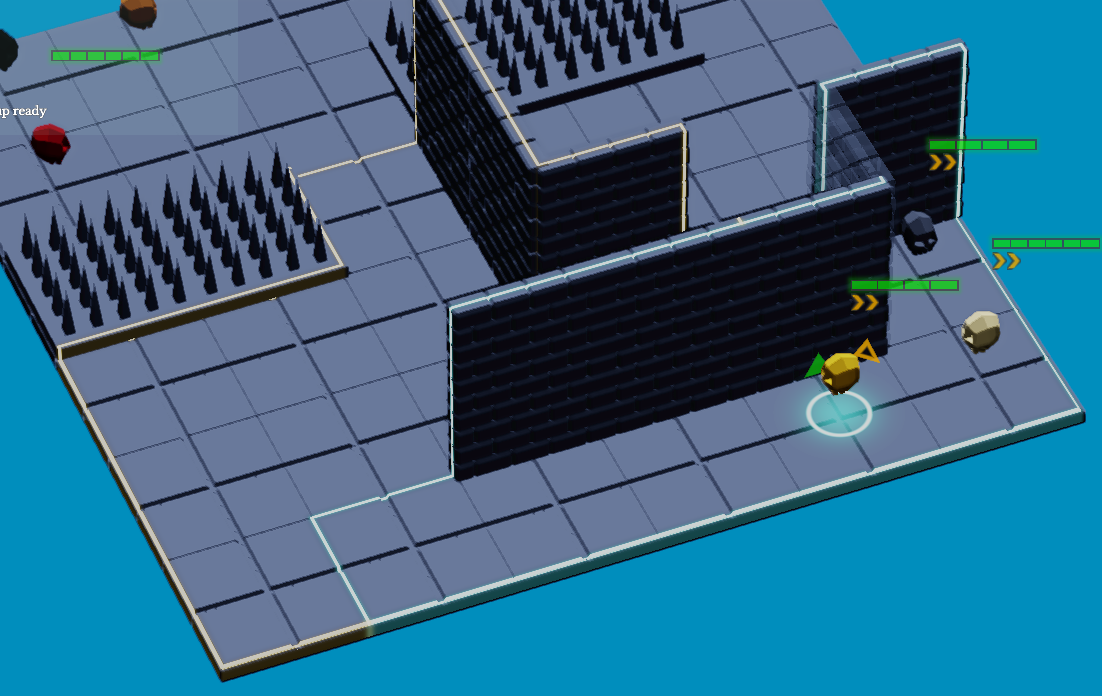
The ZoneOutlineRenderPass draws the glowing outline of the zones where the selected unit can move (cyan) or dash (light yellow). It is a full-screen graphics pass: a full-screen triangle (quad.vert + draw(3)) reprojects each pixel into world space using depth and the inverse camera matrices, then tests its distance to the zone edges.
Construction
The constructor creates a descriptor layout (sampled depth, camera uniform, zones storage), a graphics pipeline with classic alpha blending, then allocates one FrameData per frame in flight: a mapped camera uniform plus a staging and a device buffer for the zones.
ZoneOutlineRenderPass::ZoneOutlineRenderPass(
    const RendererConfiguration& config,
    vireo::ImageFormat outputFormat) :
    CustomRenderpass{config, "ZoneOutlineRenderPass"} {

    descriptorLayout = ctx().vireo->createDescriptorLayout();
    descriptorLayout->add(BINDING_DEPTH,  vireo::DescriptorType::SAMPLED_IMAGE);
    descriptorLayout->add(BINDING_CAMERA, vireo::DescriptorType::UNIFORM);
    descriptorLayout->add(BINDING_ZONES,  vireo::DescriptorType::DEVICE_STORAGE);
    descriptorLayout->build();

    pipelineConfig.resources = ctx().vireo->createPipelineResources(
        {descriptorLayout, ctx().samplers.getDescriptorLayout()}, {}, name);
    pipelineConfig.colorRenderFormats = {outputFormat};
    pipelineConfig.vertexShader   = loadShader("quad.vert");
    pipelineConfig.fragmentShader = loadShader("zone_outline.frag");
    pipeline = ctx().vireo->createGraphicPipeline(pipelineConfig, name);

    renderingConfig.colorRenderTargets[0].clear = false;       // compose, do not clear

    framesData.resize(ctx().config.framesInFlight);
    for (auto& frame : framesData) {
        frame.descriptorSet = ctx().vireo->createDescriptorSet(descriptorLayout, name);
        frame.cameraBuffer  = ctx().vireo->createBuffer(
            vireo::BufferType::UNIFORM, sizeof(CameraData), 1, name + " Camera");
        frame.cameraBuffer->map();
        frame.zonesStaging  = ctx().vireo->createBuffer(
            vireo::BufferType::BUFFER_UPLOAD, sizeof(ZoneData), MAX_ZONES, name + " Staging");
        frame.zonesStaging->map();
        frame.zonesDevice   = ctx().vireo->createBuffer(
            vireo::BufferType::DEVICE_STORAGE, sizeof(ZoneData), MAX_ZONES, name + " Zones");
        frame.descriptorSet->update(BINDING_CAMERA, frame.cameraBuffer);
        frame.descriptorSet->update(BINDING_ZONES,  frame.zonesDevice);
    }
}
render()
It returns early when there is nothing to draw, writes the camera uniform (inverse projection and view), copies the zones from staging to the device buffer with the proper barriers, binds the depth received as a parameter, then draws the full-screen triangle. Note the barrier pair moving the color target from COMPUTE_READ to RENDER_TARGET_COLOR for the draw, and the depth from RENDER_TARGET_DEPTH to SHADER_READ — each restored at the end.
void ZoneOutlineRenderPass::render(
    const std::shared_ptr<vireo::CommandList>& commandList,
    const std::shared_ptr<vireo::RenderTarget>& colorTarget,
    const std::shared_ptr<vireo::RenderTarget>& depthTarget,
    uint32 frameIndex) {
    if (camera == nullptr || activeZoneCount == 0) { return; }   // early out
    auto& frame = framesData[frameIndex];

    frame.cameraData.projectionInverse = inverse(camera->projection);
    frame.cameraData.viewInverse       = camera->transform;
    frame.cameraData.screenSize        = currentScreenSize;
    frame.cameraData.activeZoneCount   = activeZoneCount;
    frame.cameraBuffer->write(&frame.cameraData);

    frame.zonesStaging->write(cpuZones, sizeof(ZoneData) * MAX_ZONES);
    commandList->barrier(*frame.zonesDevice,
        vireo::ResourceState::SHADER_READ, vireo::ResourceState::COPY_DST);
    commandList->copy(frame.zonesStaging, frame.zonesDevice);
    commandList->barrier(*frame.zonesDevice,
        vireo::ResourceState::COPY_DST, vireo::ResourceState::SHADER_READ);

    frame.descriptorSet->update(BINDING_DEPTH, depthTarget->getImage());
    renderingConfig.colorRenderTargets[0].renderTarget = colorTarget;

    commandList->barrier(colorTarget,
        vireo::ResourceState::COMPUTE_READ, vireo::ResourceState::RENDER_TARGET_COLOR);
    commandList->barrier(depthTarget,
        vireo::ResourceState::RENDER_TARGET_DEPTH, vireo::ResourceState::SHADER_READ);

    commandList->beginRendering(renderingConfig);
    commandList->bindPipeline(pipeline);
    commandList->bindDescriptors({frame.descriptorSet, ctx().samplers.getDescriptorSet()});
    commandList->draw(3);                       // full-screen triangle
    commandList->endRendering();

    commandList->barrier(depthTarget,
        vireo::ResourceState::SHADER_READ, vireo::ResourceState::RENDER_TARGET_DEPTH);
    commandList->barrier(colorTarget,
        vireo::ResourceState::RENDER_TARGET_COLOR, vireo::ResourceState::COMPUTE_READ);
}
resize() and gameplay API
The pass overrides resize() only to record the screen size (used for reprojection) and exposes a small slot-based API: addZone(...) returns a slot (or -1 if full) and removeZone(slot) frees it. The pass stays generic; gameplay drives its content.
void ZoneOutlineRenderPass::resize(const vireo::Extent& extent,
                                   const std::shared_ptr<vireo::CommandList>&) {
    currentScreenSize = float2{float(extent.width), float(extent.height)};
}

int32 slot = zoneOutline.addZone(color, lineWidth, glowRadius,
                                 worldW, worldH, cx, cz, surfaceY,
                                 edgePoints, edgeCount);
// ... later ...
zoneOutline.removeZone(slot);
3. Composite pass: fog of war
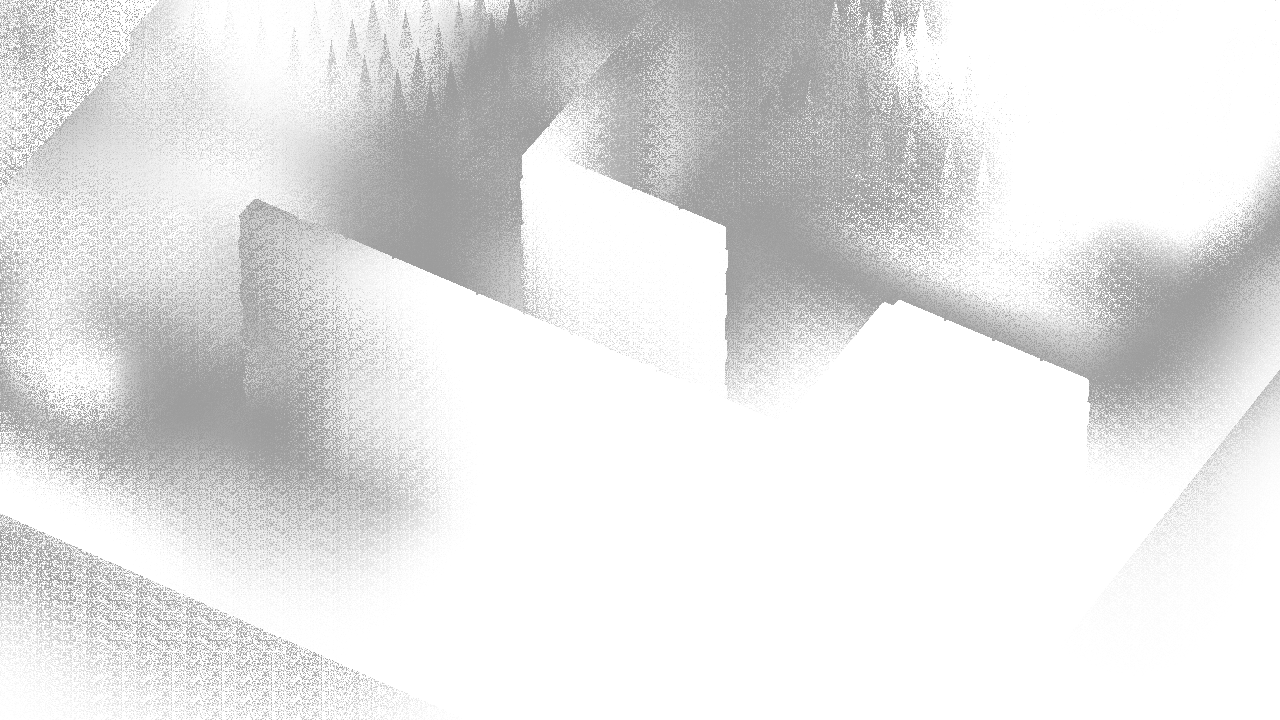
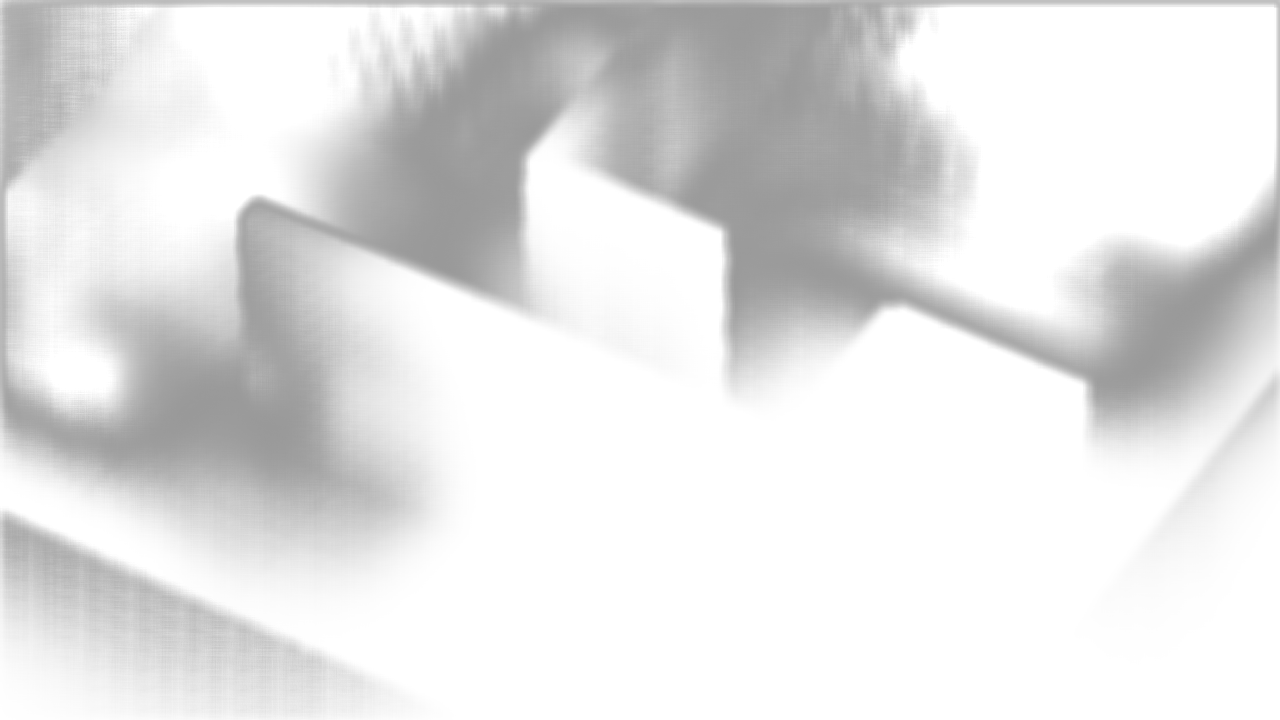
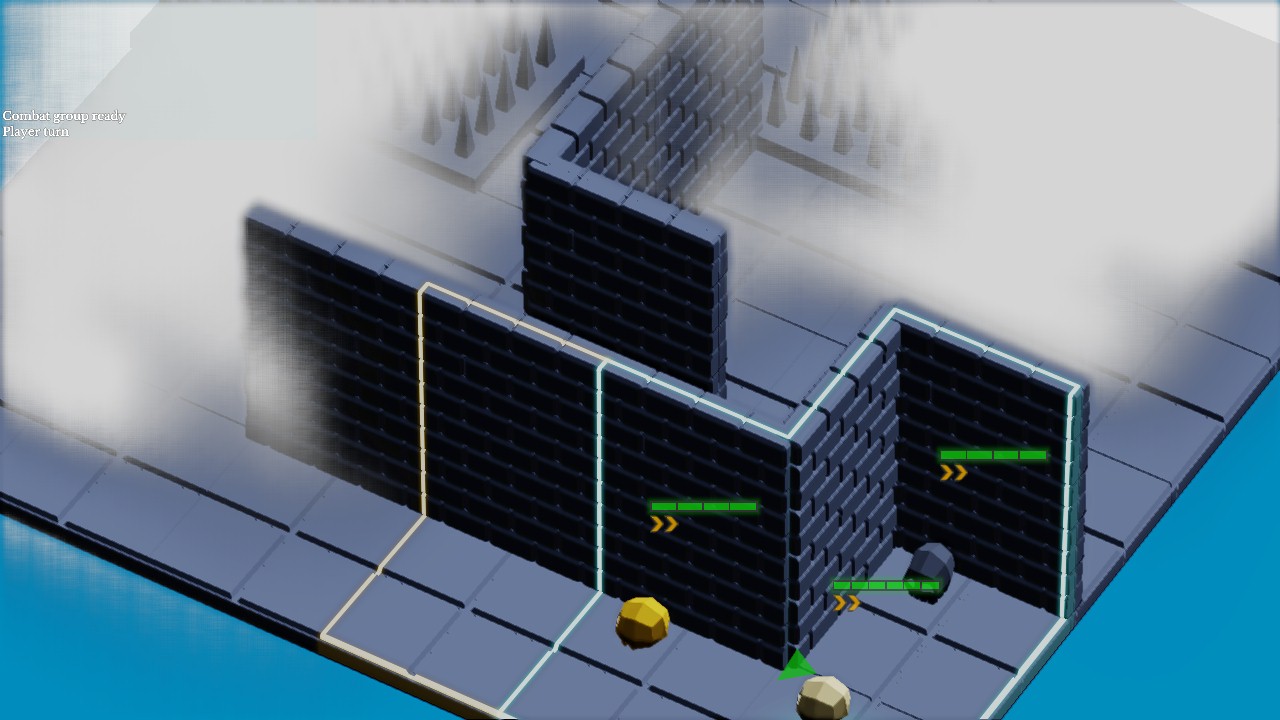
The FogOfWarRenderPass combines several building blocks: an internal compute pass (FogOfWarCompute, deriving from FullScreenCompute) computing per-cell fog density, a blur pass (a FullScreenCompute with a BlurData), then a graphics composition step (fog_of_war_composite.frag) that blends the result onto the image. It is a custom pass orchestrating its own sub-passes.
class FogOfWarRenderPass : public CustomRenderpass {
public:
    explicit FogOfWarRenderPass(
        const RendererConfiguration& config, vireo::ImageFormat outputFormat);

    void setEnabled(bool enabled);
    void setCamera(const std::shared_ptr<Camera>& camera);
    void setGrid(float cellSize, int32 originX, int32 originY,
                 uint32 gridW, uint32 gridH);
    void setCellsVisibility(const uint8* states, uint32 count);

    void render(const std::shared_ptr<vireo::CommandList>& commandList,
                const std::shared_ptr<vireo::RenderTarget>& colorTarget,
                const std::shared_ptr<vireo::RenderTarget>& depthTarget,
                uint32 frameIndex) override;
    void update(uint32 frameIndex) override;   // lazy data upload
    void resize(const vireo::Extent& extent,
                const std::shared_ptr<vireo::CommandList>& commandList) override;

private:
    FogOfWarCompute fogCompute;                 // compute sub-pass
    BlurData blurData;
    FullScreenCompute blurPass;                 // blur sub-pass
    // ... graphics composition pipeline ...
};A custom pass can hold FullScreenCompute members and drive them in its own render(). This keeps a multi-stage effect (compute + blur + composition) behind a single registration point. The overridden update(frameIndex) uploads visibility data only when it changed (a cellsVisibilityDirty flag), avoiding a GPU transfer per frame when the game state is stable.
4. Registering the passes
Both passes are application members, built with the render target configuration and format, then registered at the AFTER_COLOR_PASS phase. The registration order (zone outline, then fog) fixes their execution order. They are also enrolled in the resource registry to be reachable from Lua.
Application::Application(const std::string& mainScript) :
    /* ... */
    fogOfWarRenderPass(
        window.getRenderTarget().getRendererConfiguration(),
        window.getRenderTarget().getRendererConfiguration().colorRenderingFormat),
    zoneOutlineRenderPass(
        window.getRenderTarget().getRendererConfiguration(),
        window.getRenderTarget().getRendererConfiguration().colorRenderingFormat) {

    auto& renderer = window.getRenderTarget().getRenderer();
    renderer.addRenderPass(RenderingPhase::AFTER_COLOR_PASS, zoneOutlineRenderPass);
    renderer.addRenderPass(RenderingPhase::AFTER_COLOR_PASS, fogOfWarRenderPass);

    ctx().res.enroll(fogOfWarRenderPass);
    ctx().res.enroll(zoneOutlineRenderPass);
}
The camera is passed once the scene is ready (here from Lua): fog_pass:set_camera(camera) and zone_outline_pass:set_camera(camera).
5. Shader material: selection ring
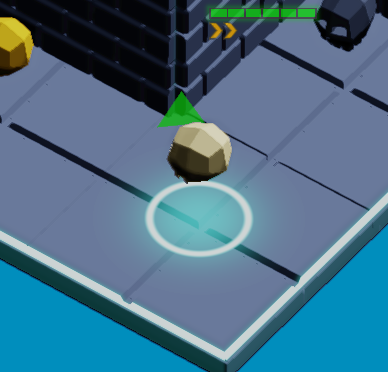
The ring under the selected unit is a quad carrying a ShaderMaterial, created with two float4 parameters and rendered at AFTER_TRANSPARENCY_PASS so it shows above the scenery.
local mat = ctx.res.material_manager:create_shader(
    "selection_ring.frag", "",
    2,                                       -- number of float4 parameters
    lysa.RenderingPhase.AFTER_TRANSPARENCY_PASS)

mat:set_parameter(0, consts.UNIT_SELECTION_RING_COLOR)            -- RGBA color
mat:set_parameter(1, lysa.float4(
    consts.UNIT_SELECTION_RING_RADIUS,                           -- .x radius
    consts.UNIT_SELECTION_RING_WIDTH,                            -- .y width
    consts.UNIT_SELECTION_RING_GLOW_RADIUS,                      -- .z glow
    consts.UI_GAMMA))                                            -- .w gamma

local mesh = ctx.res.mesh_manager:create_quad(
    consts.CELL_SIZE, consts.CELL_SIZE, mat.id,
    lysa.MeshAlignment.CENTER, "SelectionRingQuad")
The fragment shader reads these through shaderMaterialParameters[mat.parametersIndex + i]: index 0 is the color, index 1 decomposes radius, width, glow radius and gamma — exactly the values pushed by set_parameter.
// selection_ring.frag.slang
float4 color    = shaderMaterialParameters[mat.parametersIndex + 0];
float  ring_rad = shaderMaterialParameters[mat.parametersIndex + 1].x;
float  ring_w   = shaderMaterialParameters[mat.parametersIndex + 1].y;
float  glow_rad = shaderMaterialParameters[mat.parametersIndex + 1].z;
float  gamma    = shaderMaterialParameters[mat.parametersIndex + 1].w;

float2 p    = input.uv - float2(0.5, 0.5);
float  dist = length(p);
float  ring = smoothstep(ring_w, 0.0, abs(dist - ring_rad));
float  glow = exp(-dist * dist / (glow_rad * glow_rad)) * color.a;
6. Shader material: transparency veil
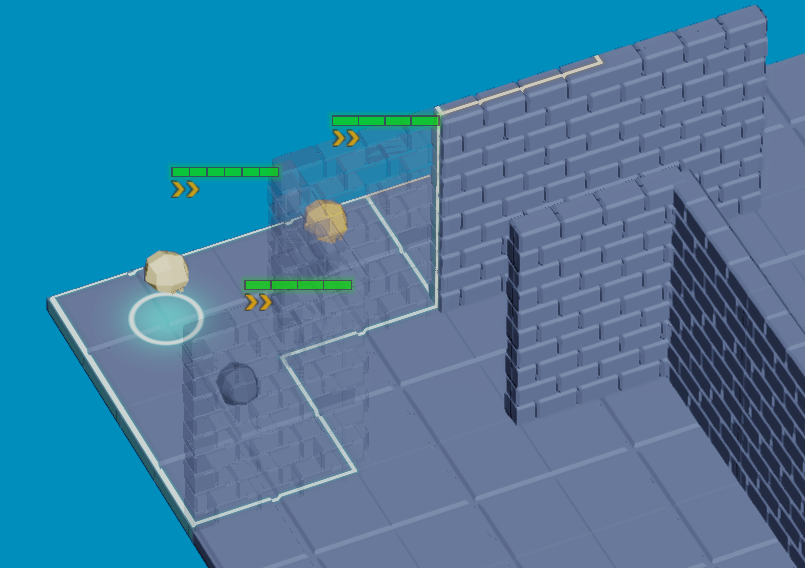
This case shows how the phase controls composition: a transparency veil added to static objects that would otherwise hide the player units. The veil is rendered at AFTER_BLOOM_PASS, after the overlays.
-- Semi-transparent veil: 1 parameter, after bloom
self.transparency = ctx.res.material_manager:create_shader(
    "transparency.frag", "", 1, lysa.RenderingPhase.AFTER_BLOOM_PASS)
self.transparency:set_parameter(0, lysa.float4(0.0, 0.0, 0.0, 0.25))
The shader reuses the predefined fetchColor() and getColor() helpers — taken from the forward renderer shaders — to fetch the material color and the lit/shadowed surface color, then overrides only the alpha from the material parameter.
// transparency.frag.slang
#include "forward/forward.inc.slang"

FragmentOutput fragmentMain(VertexOutput input) : SV_TARGET {
    FragmentOutput output;
    Material matOrig = materials[input.meshSurfaceMaterialIndex];
    output.color = fetchColor(input.uv, matOrig);
    output.color = getColor(input, matOrig, output.color);
    Material mat = materials[input.materialIndex];
    output.color.a = shaderMaterialParameters[mat.parametersIndex + 0].a;
    output.brightness = float4(0.0, 0.0, 0.0, 1.0);
    return output;
}Health bars and action-point chevrons also use a quad — without camera projection, so they always face the camera — carrying a ShaderMaterial rendered at AFTER_AA_PASS to stay perfectly sharp as an overlay.